Download Videos You Have the Right to Save
Works with publicly shared content across social platforms. Designed for saving your own posts, open-license videos, and publicly available media.

VidMedia - All Video Downloader
VidMedia - All Video Downloader
Save supported videos for offline viewing with HD quality, one-tap link detection, built-in browser, and a powerful download manager.

videodownloader.net: A responsible tool for saving publicly available content you have the right to download. Respect copyright. Download responsibly.
動画ダウンローダーの使い方
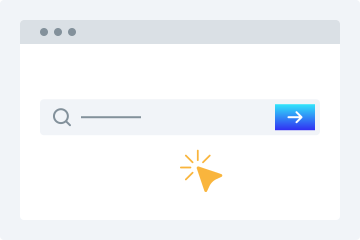
1. URLを入力
動画のURLをコピーして、ダウンロード欄に貼り付けます。
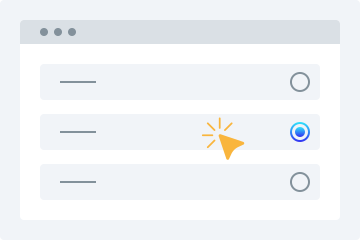
2. 品質を選択
ダウンロードしたい動画の品質を選択します。
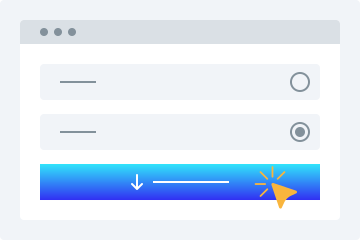
3. ダウンロード
「動画をダウンロード」ボタンを押して、デバイスに保存します。
このオンライン動画ダウンローダーには、希望する形式で無料動画をダウンロードできる高度な機能が多数搭載されています。対応プラットフォームの公開動画を簡単に保存できます。主な特長を以下で紹介します。
使いやすい
このダウンローダー最大の特長は、わかりやすいユーザーインターフェースです。初心者にも使いやすく、お気に入り動画のリンクを上の検索ボックスに貼り付けるだけで、あとはツールが処理します。
複数の画質オプション
動画保存時に画質は重要です。当社のHD動画ダウンローダーなら、必要な画質に合わせて動画を保存できます。360p、480p、720p、1080p、4Kから選択できます。
すべてのプラットフォームに対応
どのデバイスでも動画をダウンロードしたいなら、このサービスが最適です。PC、タブレット、スマートフォンに対応しており、外出先でも簡単に利用できます。
動画プレビュー
リンクを貼り付けると再生可能なプレビューが表示されるため、目的のファイルかどうかを確認してからダウンロードできます。
インストール不要
この MP4 動画ダウンロード機能を使うために、ソフトウェアやプラグインをインストールする必要はありません。安定したインターネット接続があれば、動画を簡単にダウンロードできます。
動画ダウンロードをもっと簡単に
このオンラインツールを使えば、SNSからの動画保存がとても簡単になります。利用することで得られる主なメリットを紹介します。
登録不要
多くのダウンローダーは登録を求めますが、このツールは登録なしで動画を保存できます。面倒なサインアップは不要です。
複数サイトに対応する単一ダウンローダー
サイトごとに別のツールを探す必要はありません。人気サイトの動画を一つのツールで手軽に保存できます。
すばやくダウンロード
高度なアルゴリズムにより、リンク解析から動画処理までを短時間で実行し、すぐにダウンロードできる状態にします。
個人的な利用のためにダウンロード
このオンラインツールでは、個人的な利用のために必要なだけ動画をダウンロードできます。
Why Choose videodownloader.net?
Works Where You Need It
Supports publicly accessible video links across major social platforms and media sites - ideal for saving your own posts, archiving public announcements, downloading Creative Commons content, and accessing open-license media you have the right to use.
No Software Installation Required
Our tool runs entirely in your web browser. There is no need to download, install, or update any software. This means no risk of malware, no compatibility issues with your operating system, and no storage space on your device. It works on Windows, macOS, Linux, Android, and iOS equally well.
Privacy First
We do not require registration or account creation for basic downloads. Your submitted URLs are processed temporarily and are not permanently stored on our servers. We do not track your download history or share your personal data with third parties. Your privacy is built into our service from the ground up.
Fast Processing & Multiple Quality Options
Our servers process download requests quickly, typically delivering results within seconds. Choose from multiple quality levels ranging from standard definition (360p, 480p) to high definition (720p, 1080p) and even 4K where available. You can also extract audio-only MP3 files from any video.
Copyright Responsible
We block platforms where downloading is explicitly prohibited. Our tool is built for legitimate use: saving your own content, accessing Creative Commons media, and downloading publicly available videos where permitted.
よくある質問
スマートフォンで動画をダウンロードするには?
- ブラウザから当社の動画ダウンロード機能にアクセスします。
- 対象動画のURLを入力欄に貼り付けます。
- 必要な画質を選択します。
- 「動画をダウンロード」をタップして端末に保存します。
動画ダウンローダーは安全ですか?
はい。あらゆる端末で安全に利用できます。ダウンロードしたファイルを当社サーバーに保存することはありません。
Is it legal to download videos for personal use?
This tool is intended for downloading content you own, have explicit permission to download, or that is published under an open license such as Creative Commons. This includes your own social media posts, videos shared by businesses or creators for public reuse, public domain content, and any material where the publisher has granted download rights. Always verify you have the necessary rights before downloading any content. We do not support or condone downloading copyrighted material without the rights holder’s permission, and we block platforms where downloading is explicitly prohibited by the provider.
What video formats are supported?
We primarily provide downloads in MP4 format, which is the most widely compatible video format across all devices and platforms. MP4 works natively on Windows, macOS, Android, iOS, and most smart TVs and media players. For audio extraction, we provide MP3 format at various bitrates. Additional formats may be supported depending on the source platform and available encoding options.
Does this work on iPhone / iOS?
Yes, videodownloader.net works on iPhone, iPad, and other iOS devices through the Safari browser. Since our tool is entirely web-based, there is no app to install. Simply visit our website, paste the video URL, and download. Note that iOS has certain restrictions on where downloaded files can be saved. You may need to use the Files app or a third-party document manager to access your downloaded content. For the best experience on iOS, we recommend using Safari as your browser.
How do I download a private or password-protected video?
Our tool can only access videos that are publicly accessible or videos to which you already have access (such as your own unlisted videos). We cannot bypass privacy settings, password protection, or paywalls. If a video requires you to be logged into the platform to view it, you will need to ensure you are logged in on that platform first, then copy the URL and paste it into our downloader. Note that some platforms restrict downloading of private content regardless of access.
Is my data safe when I use this tool?
Yes, your privacy and data security are important to us. We use HTTPS encryption for all data transmitted between your browser and our servers. The URLs you submit are processed temporarily on our servers to generate download links and are not permanently stored. We do not sell your personal data or share it with third parties for marketing purposes. Our full privacy policy details exactly what data we collect and how it is used. We recommend reviewing it for complete transparency.
Why is my download link not working?
Download links can fail for several reasons: the source video may have been removed or made private, your internet connection may be unstable, the file may be too large for your device's storage, or the platform may have changed its URL structure. We recommend first verifying that the video URL still works in your browser. If it does, try copying the URL again and submitting it fresh. If problems persist, our platform may be experiencing temporary issues, or the specific platform may have implemented new restrictions that we are working to support.
Can I download audio only (MP3)?
Yes, you can extract the audio track from a video as an MP3 file. This is useful for saving audio from videos you have rights to - such as your own recordings, publicly licensed lectures, open-license podcasts, or content published for free use. Please ensure you have the right to download and use the audio before extracting it.
Is there a download limit?
Free users can download videos without a strict daily limit for legitimate personal use. We apply rate limiting to ensure fair access for all users and to prevent misuse. Premium subscribers get priority processing and faster speeds. All use of this tool must comply with our Terms of Service and applicable copyright law.
How is this different from other downloaders?
Unlike tools built purely for bulk or unrestricted downloading, videodownloader.net is designed for legitimate personal use cases: saving your own social media content, downloading open-license and Creative Commons videos, and accessing publicly available media you have the right to keep. We actively block platforms where downloading is prohibited by the provider, and we maintain a clear DMCA compliance process for any content concerns.